Finding and viewing records
Search, filter, sort and lay out your records, with a view saved for each type.
Search
Type in Search everywhere… above the list. Faved matches as you type, ignoring case, across titles, links, descriptions and field values. Press Esc to clear it.
NOTE
In Page content fields, search only looks at the first 400 characters or so, about the opening paragraph of the page. A word that first appears further down won't match. Summaries and text fields are searched in full.
Types
The Types list at the top of the sidebar narrows the list to one type, or shows All types. Global fields show up on every type.
Layouts and fields
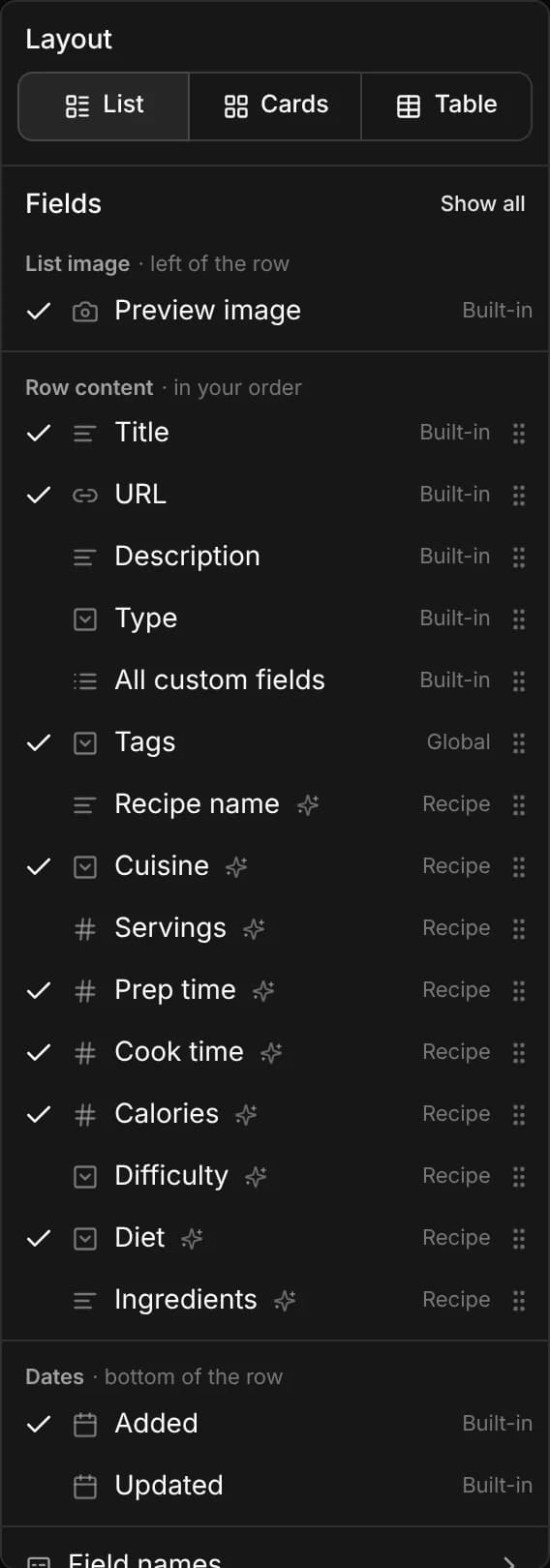
Click View to choose a layout and the fields it shows:
- List view, Cards view or Table view.
- Fields: turn each field on or off, and drag them into order. Show built-in only hides your custom fields.
- Field names: show the field's name beside its value, in cards and lists.
- Sync field settings between layouts: keep the same fields across all three layouts.
- Reset to the default field order.
In the table, drag a column's edge to resize it.
Your layout, fields, column widths and filters are remembered for each type, and for All types, on your account. So a list of products can be a table with Price and Brand, while recipes are cards with an image and a cooking time.
Filters
Filters show up depending on the selected type: its own fields plus the global fields. They appear in toolbar and sidebar, and can be moved between with Move to sidebar or Move to toolbar. You can reorder filters by dragging them horizontally on toolbar and vertically on sidebar.
Sorting
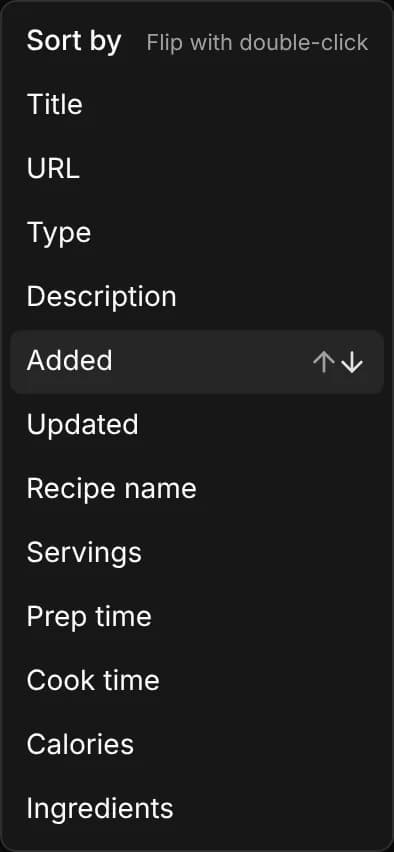
Open Sort by and choose a field. Like filters, the menu lists the built-in fields plus the fields of the selected type. Click the same field again to flip the direction between ascending and descending.
Stateful URLs
Your search, type, applied filters, sorting and pagination are all captured in the URL, so your view is fully preserved. Bookmark it to reopen the exact same view later, and because every change updates the URL, your browser's back and forward buttons step through the views you've visited.