Exporting your data
Download your records as a standard bookmarks file.
You can export your records at any time, even after your trial or subscription ends, as a standard bookmarks HTML file. Browsers, other bookmark managers and Faved itself can all import it.
1
Open Export
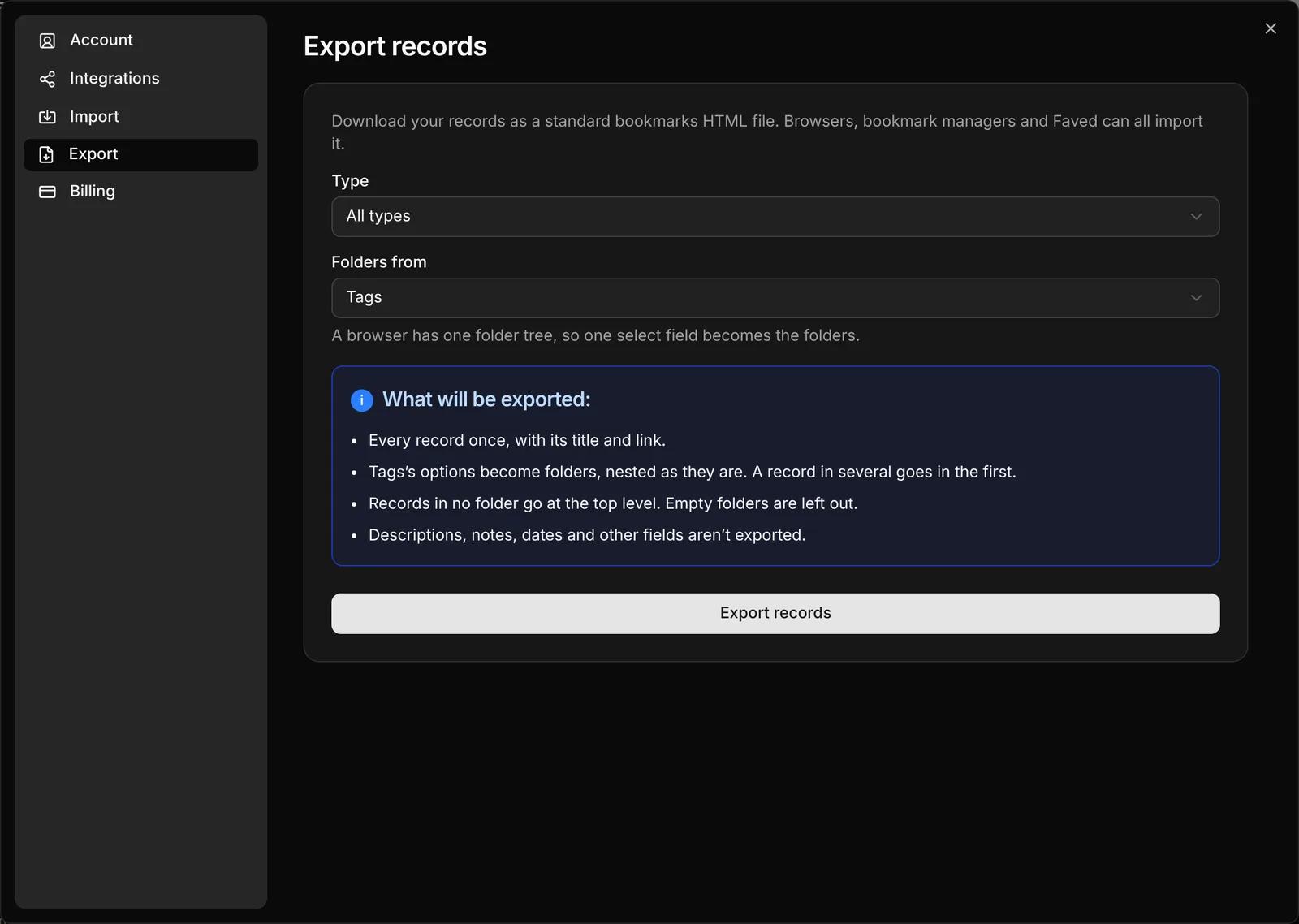
Go to Settings › Export.2
Choose the records
Under Type, choose All types or a single type.3
Choose the folders
A bookmarks file has one folder tree, so one select field becomes the folders. Under Folders from, pick that field, or None to put every record at the top level.
4
Export
Click Export records. Faved downloads a file named like faved-bookmarks-2026-10-01.html.
What's in the file
- Every record you chose, once, with its title and link.
- The chosen field's options as folders, nested as they are. A record with several options goes in the first one.
- Records with none of the options at the top level. Empty folders are left out.
NOTE
Descriptions, notes, dates and other fields aren't exported. The file holds what a bookmarks file can: titles, links and folders.
Edit this page on GitHubLast updated on October 5, 2026