Extracting from pages
Let Faved read a page and fill in your fields, for one record or hundreds.
Extract reads a web page and fills in the fields you pick.
What each field gets
- Your own fields (Text, Number, Date, Checkbox, Link, Select) are filled by the AI from what the page says.
- Summary gets a short summary written by the AI.
- Page content gets the page's text as clean Markdown, without menus, footers or cookie banners.
- Screenshot gets a snapshot of the page.
- Title, Description and Preview image are refreshed from the page itself.
Only fields with Filled by extraction from the page turned on can be extracted. See Types and fields.
Extracting while you save
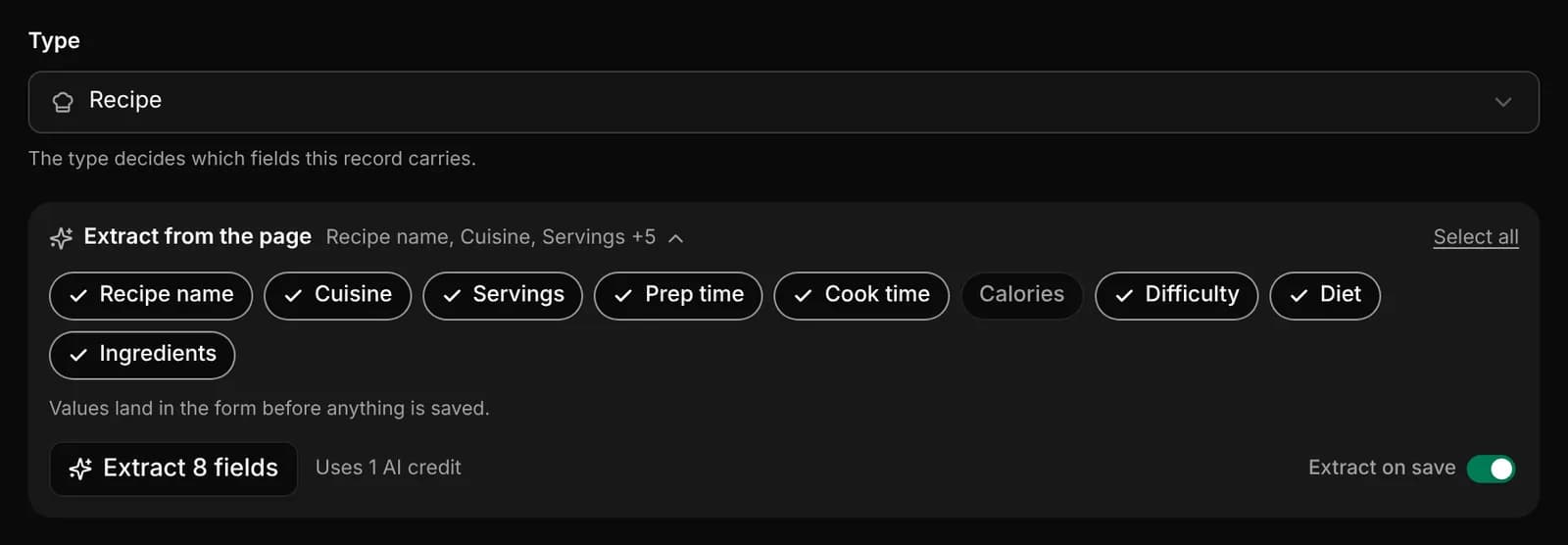
The record form has an Extract from the page row. Expand it to see the fields that will be filled, and click them to pick or skip each one. Your choice is remembered.
- Click Extract to read the page now. On a new record, the values land in the form before anything is saved, so you can check them first.
- Or leave Extract on save on. It's on by default for new records, and Faved reads the page in the background after you save.
The row shows what it will cost, such as Uses 1 AI credit or No AI credits, and History shows past extractions for the record.
Extracting from the list
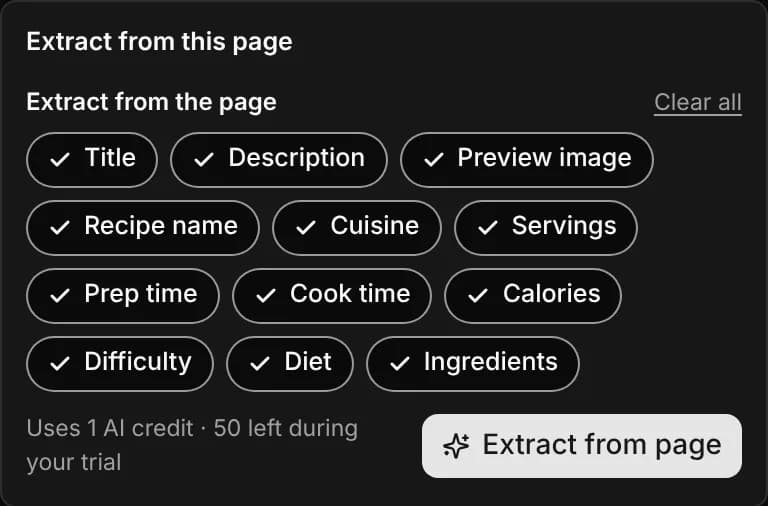
Choose Extract… from a record's menu. Pick the fields to fill, then click Extract from page. Picking only Title, Description and Preview image refreshes them from the page for free.
To extract many records at once, select them in the list and click Extract in the bulk bar. Before you start, the popover shows how many pages will be read and how many AI credits that uses. The run carries on in the background, and you can follow it in Activity.
Activity
Activity, at the bottom of the sidebar, lists every extraction: what it asked for, what it cost, and anything that went wrong. Filter by All, Succeeded or Problems. A bulk run appears as one group with its pages inside. While a run is going, click Cancel to stop it.
What it costs
Filling your own fields with AI uses one AI credit per page; everything else Extract does is free. See What uses an AI credit.