Introduction
What Faved Cloud is, and the few ideas everything else builds on.
NOTE
These are the docs for Faved Cloud at app.faved.to. Running Faved on your own server? See the self-hosted docs.
What is Faved Cloud?
Faved Cloud is a bookmark manager that turns web pages into structured records. Every page you save becomes a record. Give it a type, such as a product, a recipe or a job posting, and the record gets that type's fields. Faved can then read the page and fill those fields in for you.
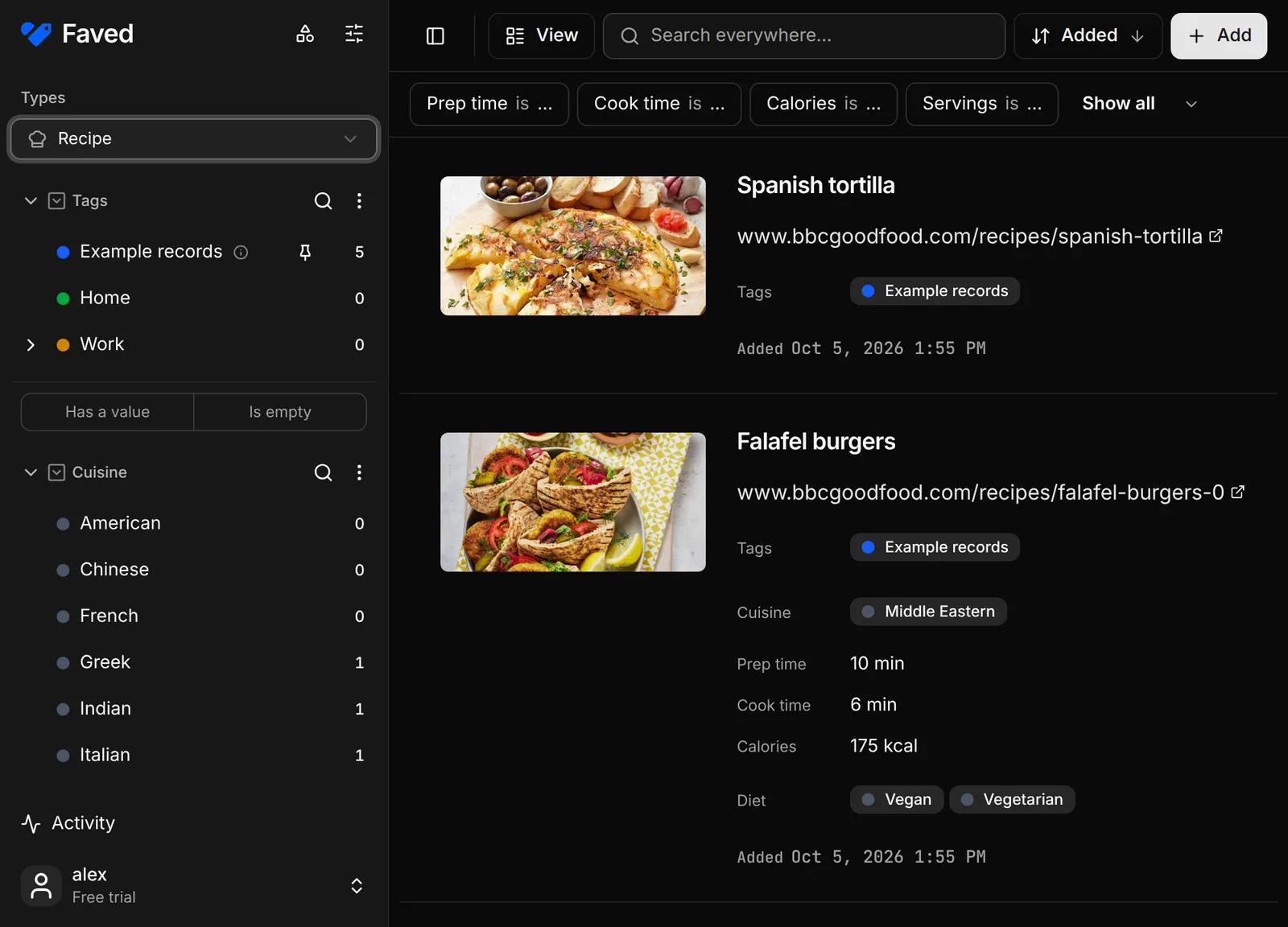
Fields are whatever you want to keep about a page: the price and brand of a product, the address and bedrooms of a listing, the salary range of a job posting, or the cuisine and prep time of a recipe.
A field can hold text, a number with a unit (€, kg, min), a date, a yes/no checkbox, a link, or one or more options from a list you define. You can also save the page's short summary, the full content as Markdown, and a screenshot.
Key concepts
- Records. A record is a saved web page: its link, title, description and preview image, plus whatever fields its type adds.
- Types. A type decides which fields its records carry. Start from a preset (Product, Real estate listing, Job posting, Article, Recipe, Event) or build your own. See Types and fields.
- Fields. A field belongs to one type, or is global and sits on every record. Global fields group records of any type together, such as by Project, or by Home, Work and Hobby. See Types and fields.
- Extract. Extraction is Faved's AI at work: it reads the page and fills in the fields you pick, such as the price on a product page, the ingredients of a recipe or the salary in a job posting. A short hint on a field can steer what it looks for. See Extracting from pages.
- Views. Each type keeps its own columns, layout and filters, so a list of products can look like a catalogue and a list of recipes like a cookbook. See Finding and viewing records.
- Save from anywhere. Whatever you're doing on the web, whether reading an article, researching a purchase, browsing listings or scrolling social media, you can save the page to your Faved library in a click or a tap, on desktop or mobile, and get back to what you were doing. See Saving pages.